GBP Rank AI
AI Copilot

AI help for the office, too.

Write SOPs, prepare customer calls and draft email replies using your business context.

30-day free trial · No credit card required

  • Editable SOPs
  • Call practice with voice playback
  • Business-grounded email drafts
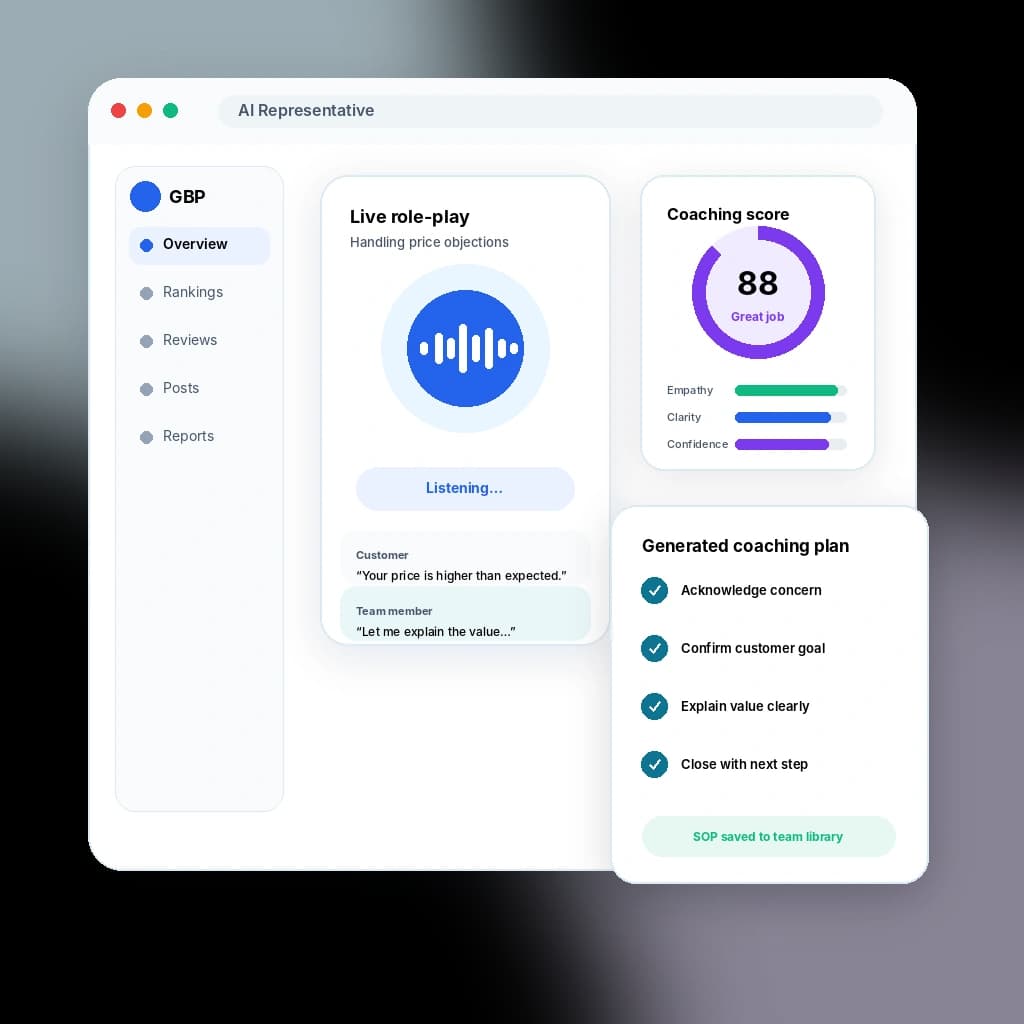
GBP Rank AI Copilot for SOPs, call scenarios, and email responses

Inside the product

Three focused assistants grounded in the selected business.

Switch between SOP Studio, Call Scenarios, and Email Responder without losing the categories, services, and location context that make the output relevant. Every draft stays visible and editable.

30-day free trial · No credit card required

  • Selected-location context

    Categories and services help keep drafts relevant to the business currently in view.

  • Edit before use

    Regenerate or revise the result while people retain responsibility for accuracy and delivery.

  • Useful outputs

    Export supported SOP formats, play supported call audio, or copy an email draft into the team's normal workflow.

A drafting partner, not an autonomous employee

Move scattered operating knowledge into repeatable team guidance.

Procedures, call handling, and customer email language often depend on whoever remembers the answer. AI Copilot helps turn rough input and selected-location context into a reviewable starting point while people remain responsible for accuracy and decisions.

  • Structure real procedures

    Turn rough instructions into purpose, scope, tools, definitions, steps, quality checks, exceptions, escalation guidance, and completion checklists.

  • Practice customer calls

    Draft realistic sales and service scenarios, scripts, objections, difficult conversations, and supported voice playback.

  • Answer email more clearly

    Prepare professional email responses grounded in the selected business context, then edit and copy the result into the system where the team communicates.

How it works

Put your business knowledge to work.

  1. SOP Studio

    Turn rough instructions into a procedure people can review.

    Describe the work, audience, tools, constraints, and success criteria. AI Copilot prepares a structured SOP that remains editable before it becomes team guidance.

    • Purpose, scope, roles, definitions, and prerequisites
    • Numbered procedures, quality gates, exceptions, and escalation
    • Copy plus supported PDF and DOCX exports
  2. Call scenarios

    Prepare the team for the conversations customers actually have.

    Create sales, service, objection-handling, and difficult-customer scenarios from the selected location's real services, then edit the result and use voice playback where supported.

    • Customer and employee roles plus scenario goals
    • Editable talk tracks, objections, and response guidance
    • Microphone input and supported audio playback
  3. Email responder

    Start customer email replies from accurate business context.

    Paste the incoming message, choose the intent and tone, and draft a professional response using the selected location's services and terminology. A person reviews and sends it in the business's normal email system.

    • Business-grounded response drafts
    • Editable tone, detail, and next-step language
    • Copy or print for use outside the Copilot

What AI Copilot actually produces

Structured output for three recurring operating needs.

Each workspace has a defined job. The Copilot drafts useful material from explicit input and selected-location context; it does not execute the procedure, place the call, or send the email.

SOP structure and exports

Create a procedure detailed enough for review, training, and improvement.

  • Purpose, scope, audience, roles, tools, and definitions
  • Prerequisites, numbered steps, validations, and completion checklist
  • Exceptions, escalation guidance, and customer communication notes
  • Editable regeneration plus supported PDF and DOCX exports

Call preparation

Give the team a concrete scenario and language to practice.

  • Sales, service, objection, and difficult-conversation scenarios
  • Business and customer roles with a clear objective
  • Editable scripts and response guidance
  • Supported microphone input and voice playback

Email response drafting

Prepare a professional starting point without pretending to be the inbox.

  • Incoming-message context and response intent
  • Selected tone and level of detail
  • Location-aware service and terminology grounding
  • Edit, copy, or print before a person sends it

Human control and boundaries

Keep the assistant useful by keeping responsibility visible.

  • Review factual and policy-sensitive content before use
  • Do not treat drafts as legal, safety, or employment policy approval
  • No autonomous calling, email sending, or CRM activity
  • Separate client and location context instead of a generic shared identity

What is included

The tools you get.

See what is included and explore the tools that work alongside it.

SOP Studio

  • Structured procedure generation and editing
  • Quality, exception, escalation, and checklist sections
  • Supported PDF and DOCX exports

Call scenarios

  • Sales, service, and objection practice
  • Editable scripts and response guidance
  • Supported microphone input and voice playback

Email responder

  • Incoming-message and intent context
  • Professional, editable reply drafts
  • Copy and print for human sending

FAQ

Questions about ai copilot.

Does AI Copilot replace employees or communicate for them?
No. It drafts procedures, call-practice material, and email responses. People remain responsible for reviewing the content, making decisions, performing the work, handling calls, and sending customer communication.
What can SOP Studio create and export?
SOP Studio can draft structured purpose, scope, roles, tools, definitions, prerequisites, procedures, quality checks, exceptions, escalation guidance, customer notes, and completion checklists. Supported outputs include copy, PDF, and DOCX.
Can the call scenarios be played aloud?
Yes, supported call scenarios can use voice playback, and the workspace supports microphone input where available. The result remains practice material, not a live calling system.
Does the Email Responder send the message?
No. It prepares an editable draft using the selected business context. A person copies or prints the response, reviews it, and sends it through the business's normal communication system.
Can each location keep separate Copilot context?
Yes. The selected location's categories, services, and business context ground the draft so separate businesses do not have to share one generic identity.

Ready when you are

Give ai copilot a try.

Start a 30-day trial with no credit card, or use the free heatmap to see your current local visibility first.